CN
CN  EN
EN 

Online trading communities can be a useful starting point for beginners who want to understand how markets are analysed. They allow traders to explore market views, follow discussions, learn about trading tools and see how others approach different markets.
Two online communities that traders may encounter are TradingView and MQL5. TradingView provides charting tools, published market ideas and community-built indicators.
This guide explains how beginners can use online trading communities responsibly, explore resources on TradingView and MQL5, and understand how Phillip Nova’s platforms may fit into their research and trading workflow.
What Are Online Trading Communities Used For?
An online trading community is a place where traders can exchange views, discuss trading methods, explore educational resources and learn how to use trading tools.
For beginners, the main value lies less in copying another person’s idea and more in understanding how different market views are formed. It is learning how different traders form market opinions, what information they consider and which tools they use as part of their analysis and decision-making.
A Source of Ideas, Discussion and Learning
Community resources can help you discover new concepts, understand platform features and identify markets that you may wish to research further. For example, you may find a chart idea that highlights a key price level of a contract, a forum discussion about an indicator or an article explaining how a trading tool works.
However, community content should not replace your own analysis, risk management or trading plan.
Before using information from a community post, discussion or tool, consider:
- What is this resource designed to help me understand?
- What assumptions does the view or tool rely on?
- What market conditions could invalidate the view or make the tool less useful?
- Have I checked the chart, relevant news, or other sources independently?
Using communities in this way can help beginners build a more structured research process, rather than treating posts, discussions or tools as guaranteed trading signals.
What Is the Difference Between TradingView and MQL5?
TradingView and MQL5 both provide resources for traders, but they support different types of research and learning.
TradingView can be useful for traders who want to follow price movements, compare published trading ideas and explore indicators or strategies on charts created by other users.
MQL5 can be useful for traders who want to learn about MetaTrader functions, explore technical tools and indicators, and understand systematic trading strategies and Expert Advisors.
| TradingView | MQL5 | |
| Main focus | Chart analysis and market ideas | MetaTrader tools and technical learning |
| Useful resources | Watchlists, chart ideas, indicators and strategies | Forums, articles, CodeBase, Market, indicators, scripts and EAs |
| Typical use | Compare market views and analyse price action | Learn MetaTrader functions and explore technical or algo-trading tools |
How Phillip Nova’s Platforms May Fit into Your Workflow
Once you understand what each community offers, the next step is to decide whether a resource is useful for your own analysis, then use a suitable platform to monitor markets, test tools and manage trades.
Phillip Nova offers two platform options that support different trading workflows:
- NOVA may suit traders who prefer TradingView charting and want access to asset classes such as CFDs, spot FX, stocks, ETFs, futures and options. Product availability and trading conditions may vary.
- Phillip MetaTrader 5 (Phillip MT5) may suit traders who prefer MetaTrader tools and want to trade CFDs, spot FX and spot precious metals while exploring MQL5 resources such as indicators, scripts and Expert Advisors (EAs).
You do not need to use only one community. For example, you may use TradingView to read chart ideas and indicators while using MQL5 to learn about trading strategies.
The goal of using community resources is not to copy what other traders post online. It is to learn how others view markets, apply your own analysis, test unfamiliar tools where possible and manage trades through a platform that suits how you trade.
How Can Beginners Use TradingView with NOVA?
TradingView can help traders follow markets, compare chart-based ideas and explore indicators or strategies created by other users. Eligible existing NOVA clients can connect their account to TradingView and use supported TradingView functions to monitor markets and manage eligible orders.
A simple TradingView research workflow is to follow a market, compare different views, explore relevant tools and assess whether any action aligns with your own trading plan.
Build a Watchlist of Markets
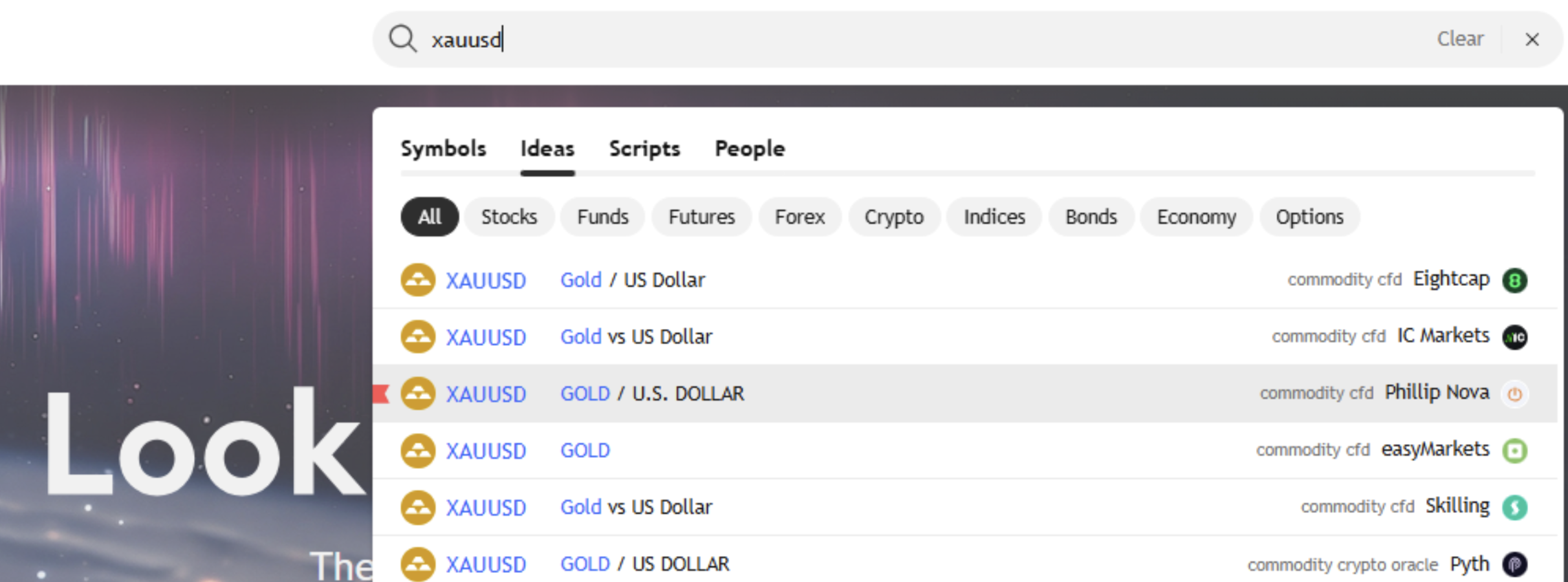
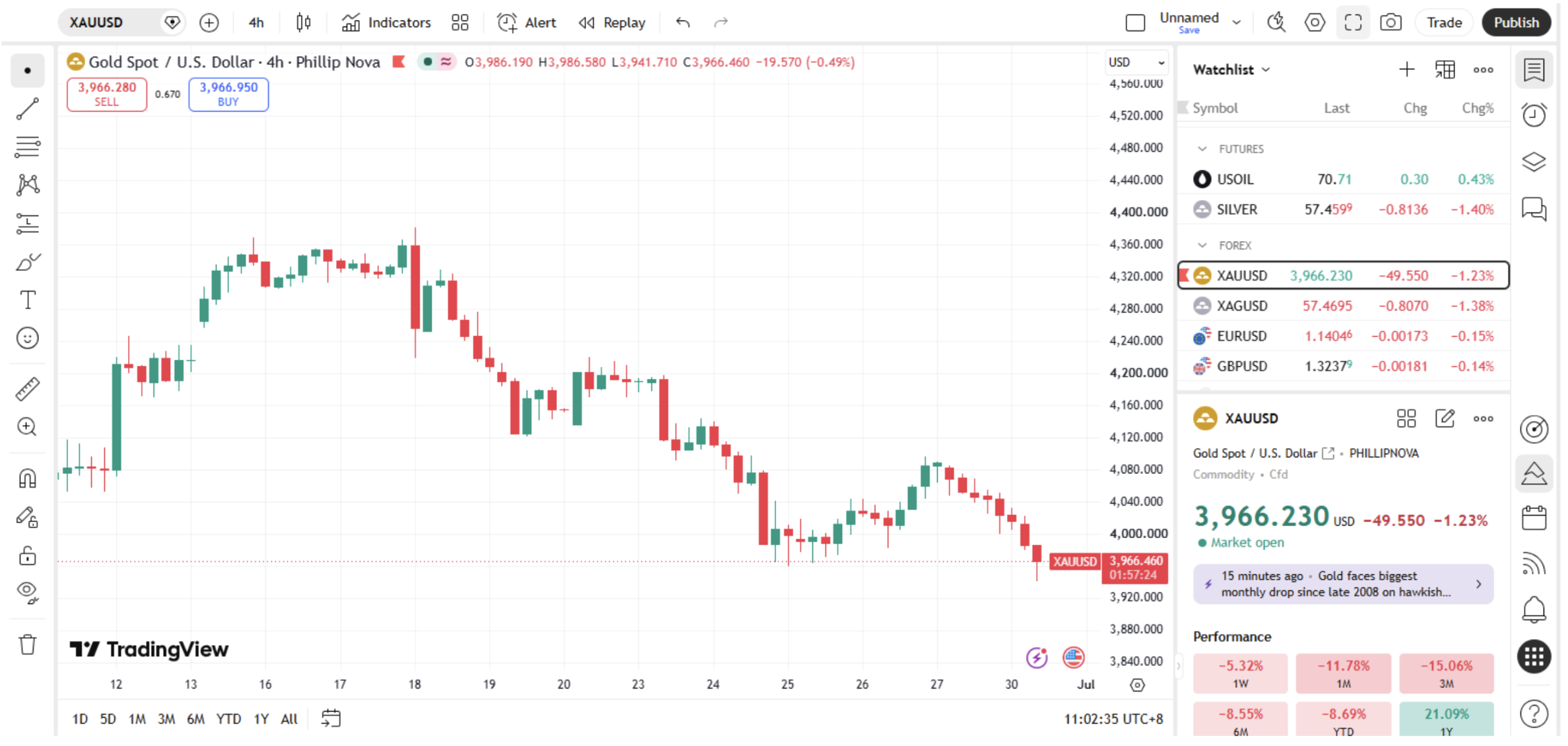
Start with a market you want to follow. For example, you may search for XAUUSD to view a gold chart.
When several listings appear, check the instrument name and data source before selecting one. Once the chart is open, use the “+” button in the watchlist panel to add the symbol.
资料来源:tradingview.com
A watchlist helps you keep selected markets in one place. TradingView may also display historical performance, seasonal data and technical statistics for a selected symbol. Treat this information as background context, not as predictions of future price movements.
Compare Community Ideas for a Market You Follow
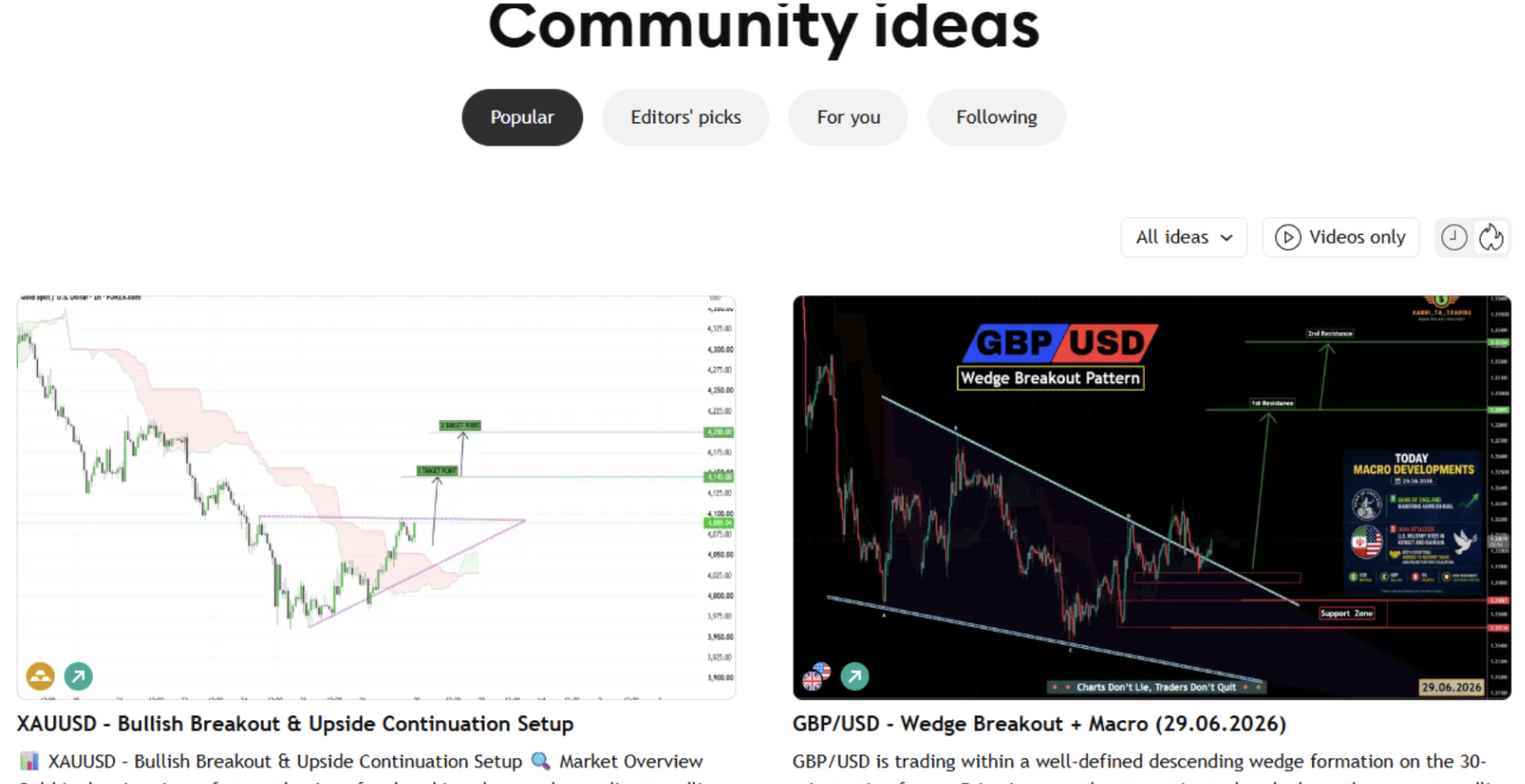
Once you are following a market, you can explore how other TradingView users analyse it. Published ideas in the community may highlight chart patterns, support or resistance levels, trendlines and possible price scenarios.
Source: https://www.tradingview.com/ideas/
Rather than relying on a single post, compare several ideas on the same market. Look for:
- Whether the analyses use a similar or different timeframe to yours
- Where other traders agree or disagree on key levels and possible scenarios
- Whether the conclusions are supported by clear chart reasoning
- What alternative price scenarios have been considered
Compare these views with your own chart analysis before deciding whether the market is worth further research.
Explore Indicators and Strategies
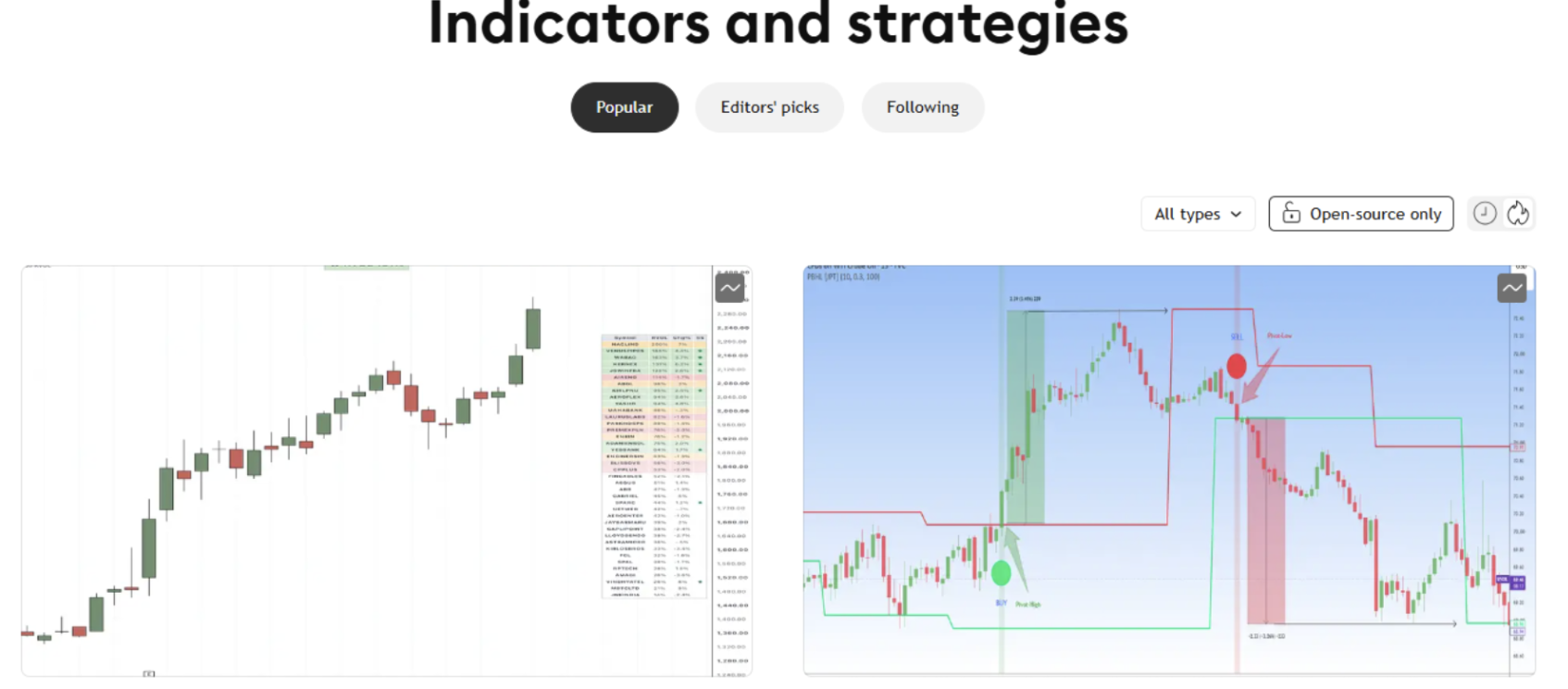
TradingView also offers community-built indicators and strategies. These tools can help you study chart conditions such as trend direction, price momentum or volatility.
To explore a tool, go to Indicators and strategies, select an indicator or strategy and click “Use on chart”. You can then review how it appears on the instrument you are following.
Source: https://www.tradingview.com/scripts/
An indicator can support analysis, but it does not create a complete trading strategy on its own. Before relying on a tool, understand what it measures, how it behaves in different market conditions and whether it suits your preferred timeframe.
Connect NOVA When You Are Ready to Trade
After completing your market research and forming your own market view, existing NOVA users can connect their account to TradingView to place trades on the chart.
Already have a NOVA account?
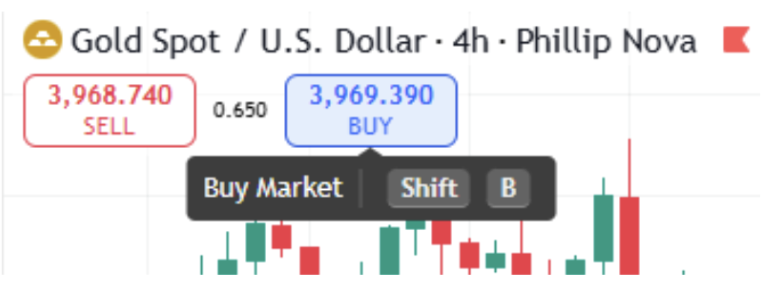
1. Open a chart and click Buy 或者 Sell in the trading panel
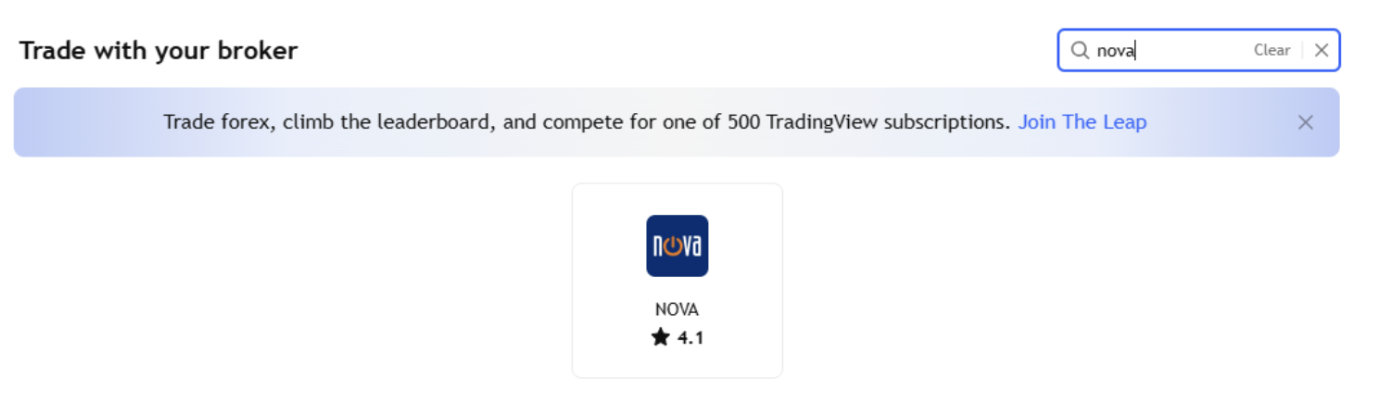
2. Search for Phillip Nova in the broker list.
3. Select Connect.
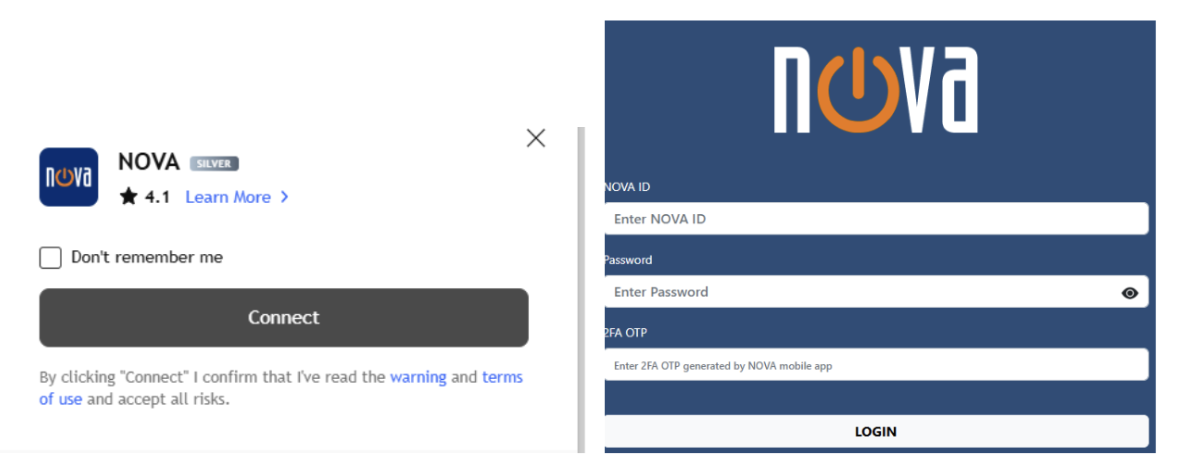
4. Enter your NOVA ID, password and 2FA one-time password when prompted.
5. Review your order details, position size and risk controls before submitting an order.
How Can Beginners Use MQL5 with Phillip MetaTrader 5?
MQL5 is an online community built around MetaTrader users. While TradingView is mainly used for chart ideas and market commentary, MQL5 is more focused on MetaTrader tools, technical learning and algo trading.
A simple MQL5 workflow is learning the concept, exploring a trading tool, then testing it on Phillip MT5 before considering live use.
Learn from MQL5 Forums and Articles
The MQL5 website includes Forums, Articles, Code Base and Market. For beginners, the Forum and Articles sections are often the best places to start.
这 Forum allows traders and developers to discuss MetaTrader functions, indicators, Expert Advisors, trading methods and market analysis. You can search existing discussions when you have a MetaTrader platform-related question or want to understand how a function works.
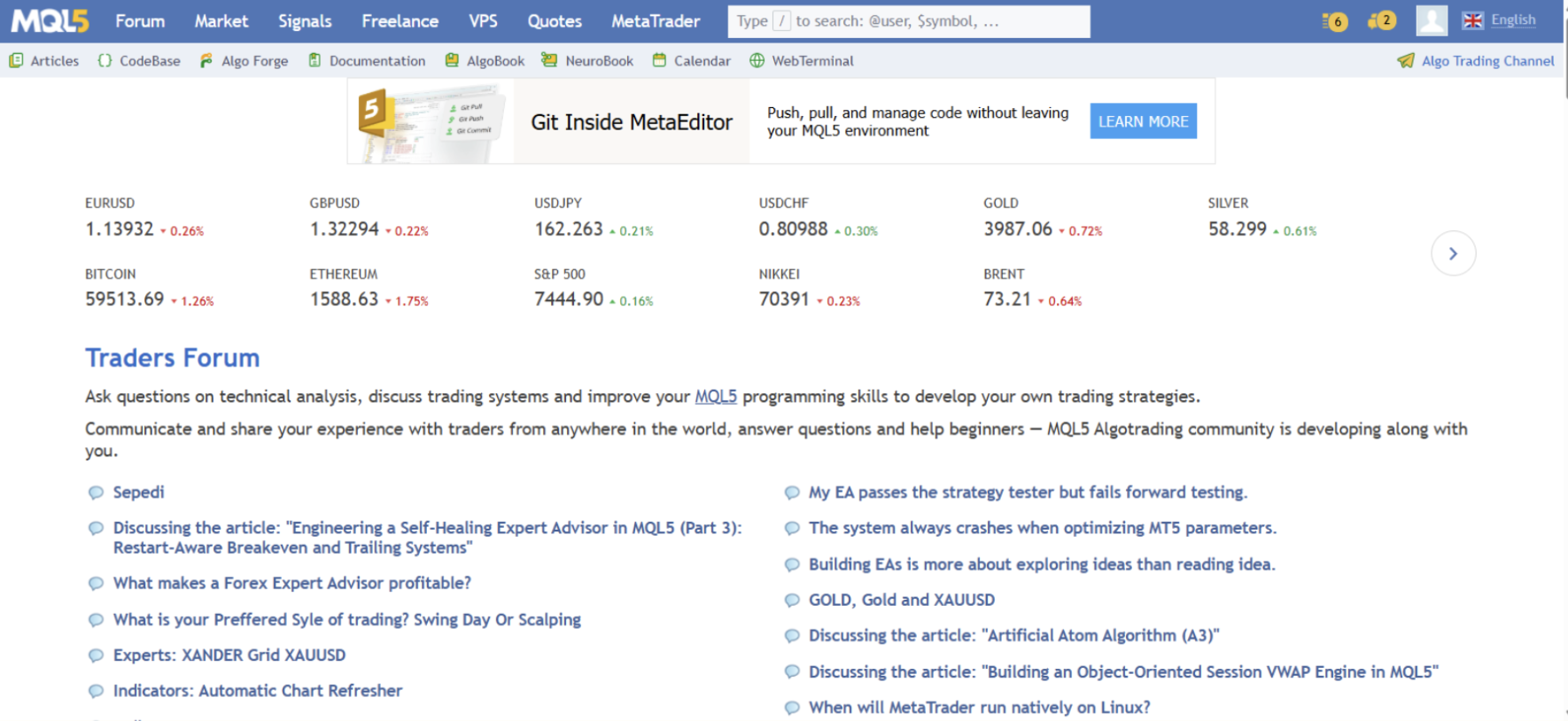
Source: mql5.com
这 阅读文章 section offers more structured learning content. Topics range from introductions to MetaTrader platform functions and indicators to more advanced strategy testing, data analysis and automated-trading development. You can search the Articles section for topics that interest you.
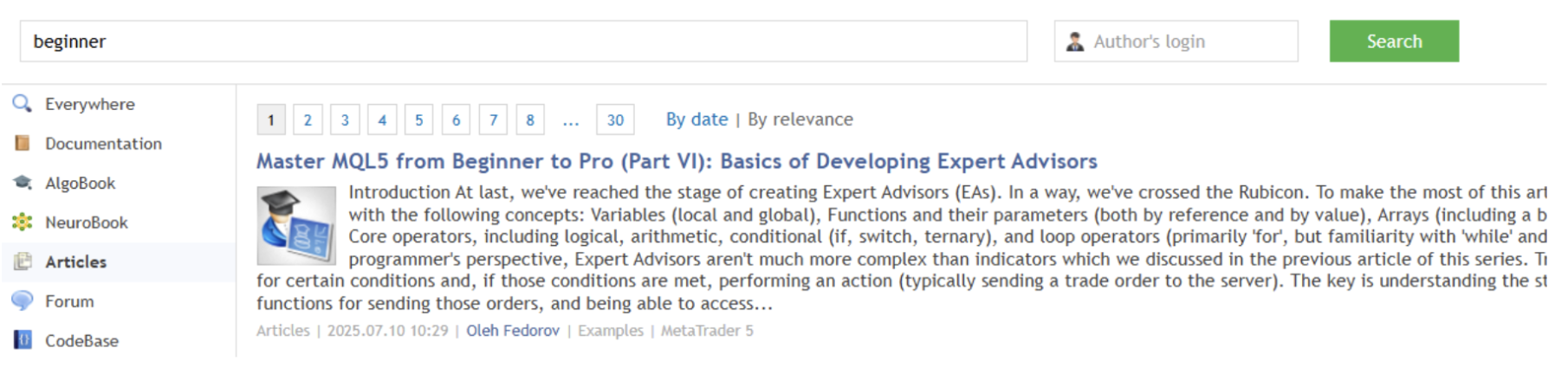
Source: mql5.com
Explore Tools in CodeBase and Market
Once you understand basic concepts about the platform and trading, you can explore related tools in CodeBase and Market.
CodeBase is a free library of source-code resources for MetaTrader including indicators, Expert Advisors, scripts and libraries. It helps traders understand what types of trading tools are available and how they may support chart analysis or a trading workflow.
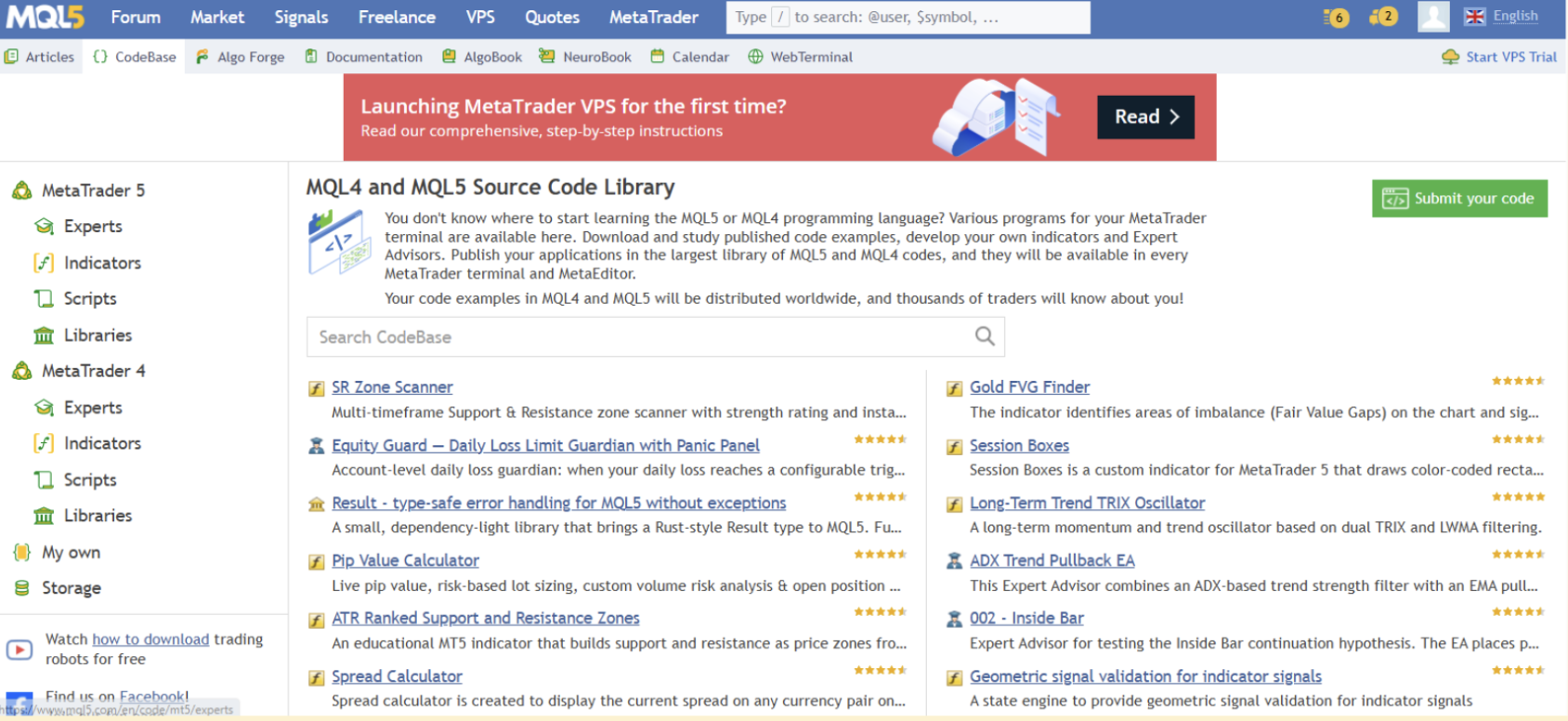
Source: mql5.com
Market includes free and paid trading tools such as indicators, Expert Advisors, analysis tools and utilities. Before downloading or purchasing a tool, read its description, review user feedback, and understand its settings and intended purpose.
An Expert Advisor, 或者 EA, is an automated-trading program that can place or manage trades according to predefined rules on the MetaTrader platform. The example below shows how an EA can monitor market conditions and place trades when its strategy rules are triggered. While this can support a more systematic trading workflow, traders should still understand the EA’s logic, test it carefully and monitor its performance before considering live use.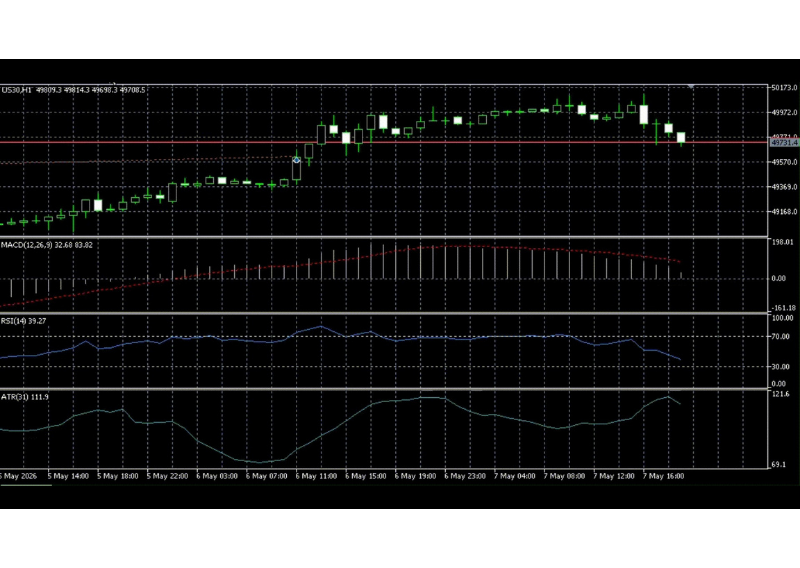
Source: Phillip MetaTrader 5
Can Beginners Practice with a Phillip MT5 Demo Account?
Phillip MT5 gives traders a practical environment to explore MetaTrader tools and apply what they learn from MQL5. Phillip Nova also offers free Phillip MetaTrader 5 demo accounts, which users can use to explore platform functions and practice placing simulated trades before considering live trading. Demo trading does not involve real money and may not fully reflect live market conditions, including liquidity, slippage and order execution.
A simple way to get started is:
- Open a free demo account.
Request a Phillip MetaTrader 5 demo account. After registration, you will receive your demo-account details and an MT5 download link.
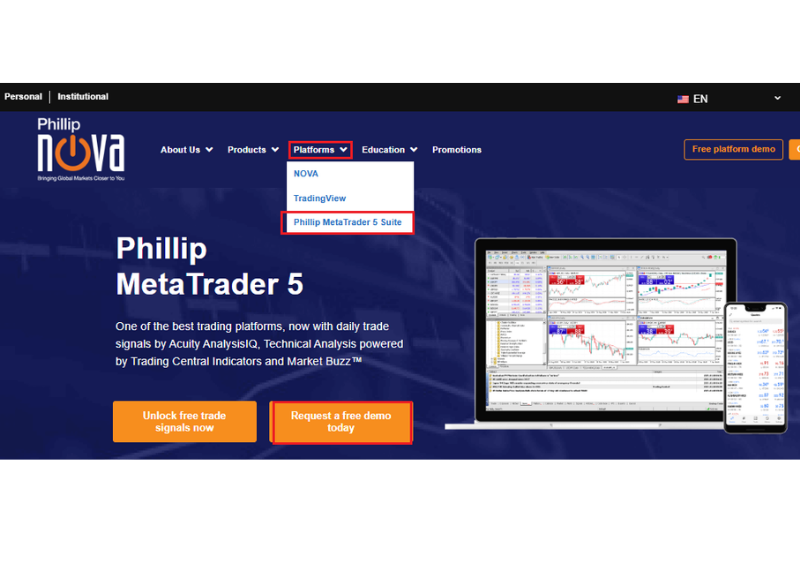
来源: https://www.phillipnova.com.sg/phillip-metatrader-5-suite/
- Find and Review a Tool
Install Phillip MT5 and find a tool, such as an indicator or Expert Advisor, in MQL5 CodeBase or Market. Read its description and make sure you understand its purposes, settings and intended use. Follow the relevant installation instructions to add it to Phillip MT5.
- Test Before Considering Live Use
Different tools should be reviewed in different ways:
- Indicators: Attach indicators to a chart to see how they respond to price movements.
- Expert Advisors: Test an EA in the Strategy Tester in Phillip MT5 to review how the computer program traded.
Historical backtesting and demo practice can help you understand a tool, but they do not guarantee future trading results.
What Are the Benefits of Trading with Phillip Nova?
Trading communities can support market research, platform learning and the exploration of different trading approaches. NOVA 和 Phillip MT5 provide different environments for users to apply their own analysis, while reviewing the products, tools and trading costs relevant to their chosen workflow.
Zero Commission on CFDs, Spot FX and Spot Precious Metals
NOVA 和 Phillip MT5 charge zero commission, with no minimum commission, on all the CFDs, spot FX and spot precious-metals contracts.
This can be useful for traders who are starting with smaller trade sizes or managing more frequent positions, as there is no separate commission charge on each eligible trade. The two platforms also do not charge any platform fee.
Spreads, overnight financing, and FX conversion charges may still apply.
How Do Phillip Nova’s Platforms Support These Workflows?
Lower FX Conversion Costs for Global Markets
Currency conversion can add to the cost of trading foreign-currency products, such as US stocks, ETFs or other overseas market products. Phillip Nova’s FX conversion mark-ups are lower than some other Singapore-licensed brokers shown below.
| Forex Conversion Markup | Phillip Nova | Other platforms* | ||
| 新元 🡪 美元 | 0.12% | 0.32% | 0.51% | 0.70% |
| 新元 🡪 港币 | 0.05% | 0.40% | 0.53% | 0.70% |
| 新元 🡪 日元 | 0.12% | 0.45% | 0.63% | 0.70% |
| 新元 🡪 英镑 | 0.13% | 0.55% | 0.51% | 0.70% |
| 新元 🡪 欧元 | 0.11% | 0.55% | 0.52% | 0.70% |
| 新元 🡪 澳元 | 0.18% | 0.55% | 0.51% | 0.70% |
* Comparison based on the cost of converting SGD into the stated foreign currency, expressed as a percentage of notional value in SGD.
Build Your Own Trading Workflow
Online trading communities can be useful learning and research tools, but they should not replace your own judgement. TradingView may help you compare chart-based market ideas, while MQL5 may help you explore MetaTrader tools, indicators and algorithmic-trading strategies.
The key is to treat community content as a starting point, not a trading instruction. Compare different views, verify information independently, test unfamiliar trading tools where possible and make decisions based on your trading plan and risk tolerance.
Ready to Put Your Research into Practice?
If you are interested in various trading tools or algorithmic trading, open a free Phillip MetaTrader 5 demo account to explore platform features, review indicators and test suitable EAs before considering live trading. When you are ready to move beyond the demo environment, you may open a Phillip MetaTrader 5 live account and complete the relevant onboarding requirements.
You can also use TradingView to build watchlists, compare chart ideas and explore indicators. When you are ready to trade through a TradingView-connected workflow, open a NOVA account and complete the relevant onboarding requirements.
About the Author
Chen Yurui
OTC Derivatives, Business Development Executive
Chen Yurui graduated from the National University of Singapore with a major in Finance and is currently a CFA Level III candidate. He has experience in financial market analysis and OTC derivatives, with a focus on FX, precious metals, CFDs and macroeconomic outlook.
Through his work, he has gained hands-on experience in algorithmic trading and trading systems, including developing, backtesting and optimising Expert Advisors (EAs) on MetaTrader 5. He aims to make financial markets and trading concepts more practical and accessible to investors.