 EN
EN  CN
CN 
Trade with NOVA on TradingView
Connect your NOVA account to TradingView and bring your trading and market analysis together. Access supported markets through NOVA while using TradingView’s advanced charts and trading tools — all from one interface.
Why trade with NOVA on TradingView?
Bring together NOVA’s multi-asset trading access with the charting experience of TradingView.
🔵 Analyse and trade in one place
Go from analysing market movements to placing and managing trades directly on TradingView with your connected NOVA account.
🔵 Advanced charting at your fingertips
Use TradingView’s extensive range of charts, technical indicators and drawing tools to analyse the markets and identify trading opportunities.
🔵 Trade across global markets
Access supported products and markets through your NOVA account, giving you more ways to act on your market views.
🔵 Your NOVA account, connected
Already have a NOVA account? Simply connect it to TradingView and start trading from the TradingView interface you know.
🆕 Bracket Orders for Futures
Plan your entry. Plan your exit.
Set your entry, target profit and stop loss in one Bracket Order when trading Futures with NOVA on TradingView.
With your target profit and stop loss set alongside your entry order, you can put your trade plan in place from the start — before the market moves.
ENTRY | Choose where you want to enter the market
TARGET PROFIT | Set the price at which you want to take profit
STOP LOSS | Set the price at which you want to exit if the market moves against your position.
How do Bracket Orders work?
A Bracket Order combines an entry order with two corresponding exit orders, allowing you to plan different outcomes for your Futures trade upfront.
-
1. Set your entry
- 2. Set your target profit
- 3. Set your stop loss
Choose your Futures contract and set the order you want to use to enter the market.
Set a target profit order above or below your entry, depending on the direction of your trade, to define where you intend to take profit.
Set a stop loss order to define where you intend to exit if the market moves against your position.
Once your entry order is filled, your target profit and stop loss orders help you manage the open position according to the levels you have set.
Plan the trade before you enter it.
More ways to trade your view
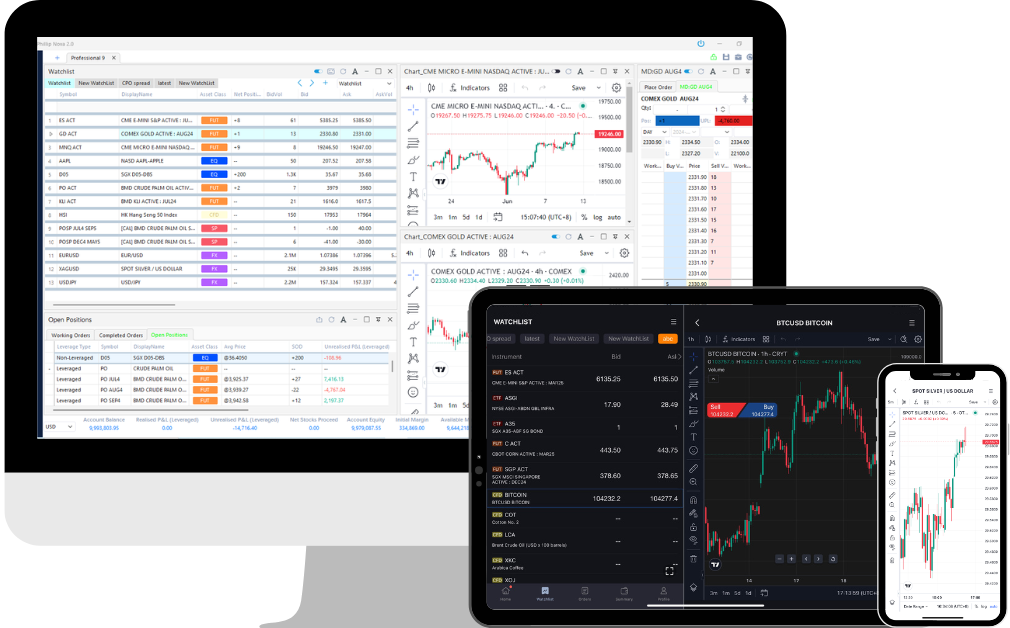
Connecting NOVA to TradingView gives you access to TradingView’s charting and analysis capabilities alongside your NOVA trading account.
Advanced charts | Analyse price movements across different chart types and timeframes to suit your trading approach. |
Technical indicators | Apply TradingView’s range of technical indicators to identify trends, momentum and other market signals. |
Drawing tools | Plot trend lines, support and resistance levels and other technical observations directly on your charts. |
Trade from charts | Move from market analysis to order execution without having to switch between separate trading platforms. |
Bracket orders | Set your entry, target profit and stop loss together to put your Futures trade plan in place from the start. |
Multi-asset access | Access supported products and global markets through your NOVA account from TradingView. |
Connect NOVA to TradingView
Get connected in a few simple steps.
1️⃣ On TradingView, select the Trading Panel tab and click the NOVA logo. Alternatively, you may launch a chart and search for “NOVA” to connect.
Pre-requisites:
- A NOVA account (Multi Asset Account)
- A TradingView account
2️⃣ Enter your NOVA ID and password. Obtain your 2FA via the NOVA mobile app and click Connect.
3️⃣ Simply resume trading on TradingView after connecting your NOVA account
Not trading with NOVA yet?
Your TradingView setup can do more with NOVA
Open a NOVA account and access multiple asset classes and global markets from one trading account.
With NOVA, you can trade across Stocks, ETFs, Futures, Options, Forex and CFDs, supported by trading tools and market insights designed for both active trading and investing.
Once your account is ready, connect NOVA to TradingView and take your market analysis directly to execution.
The NOVA Platform
- Access to Stocks, ETFs, Futures, Forex, CFDs, and more
- USD and SGD shares financing rate of only 4.5% p.a.
- Trade and invest on a single platform
- Access all contracts with just one account
- No custodian and platform fees
- Available on mobile, iPad, and desktop
- Charting powered by TradingView
No minimum funding required.
For More Information
Should you have any query, please call the Phillip Nova Client Service Desk at (65) 6538 0500 or email nova@phillip.com.sg.